

KickstarterComing SoonNotify Me

LOCAL AI. PERSONAL DATA.

LATICX X4 PRO MAX · Four-bay NAS with local AI

The Same Private AI.
More Memory.

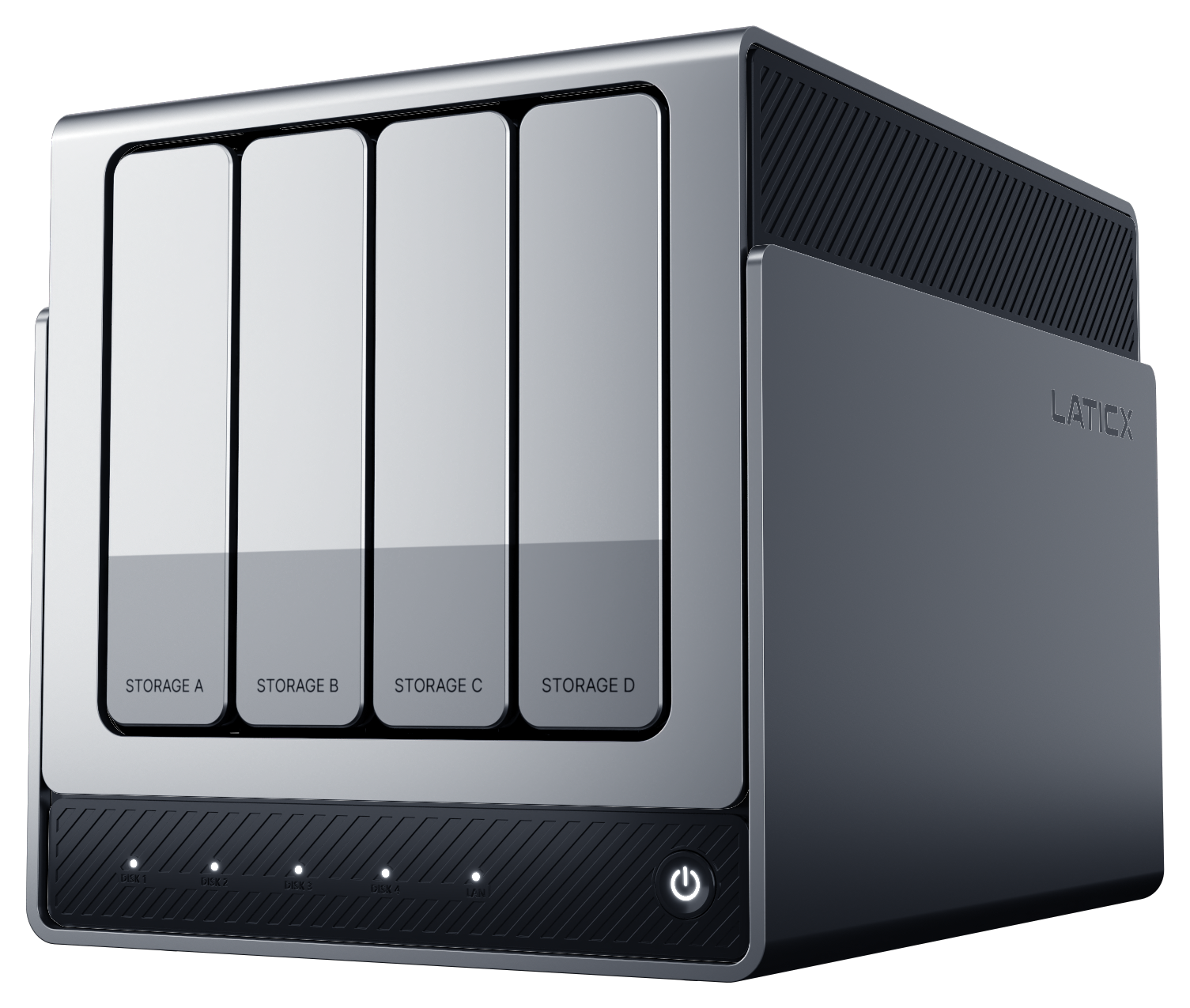
The same local AI platform and features as X4 PRO, with 16 GB LPDDR4 system memory. Use the AI assistant, personal knowledge base and full AI Photos, with optional C1, N1 and M1 integration.

Coming to Kickstarter in early 2027.

X4 PRO MAX product render
Rated AI Compute26 TOPS INT8 / 52 TOPS INT4
System Memory16 GB LPDDR4
SATA drive bays4 × SATA 3.0
NVMe Expansion1 × M.2 2280

Your Sources.
Answers You Can Check.

Group receipts, manuals or travel documents by topic. Ask about selected sources and open the citations to check the answer.

Organize by Topic
Keep files, notes, and transcripts together around the same subject.
Ask across Your Documents
Ask about selected sources and bring the information you need together.
Inspect Cited Sources
Use citation numbers to see which sources support the answer.
Check appliance warranty records, inspect the cited evidence and prepare a draft service request.

X4 PRO SERIES · CONNECTED EXPERIENCES

Everyday AI.
Powered by Your PRO.

Find home events, organize conversations and share confirmed plans. Connect C1, N1 and M1 to put your PRO’s local AI to work.

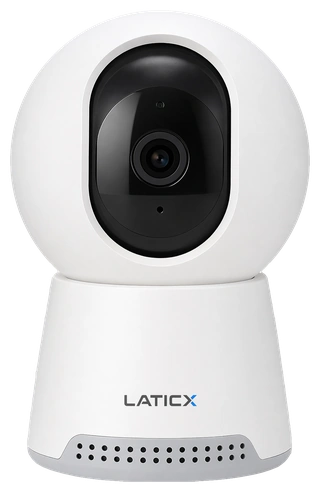
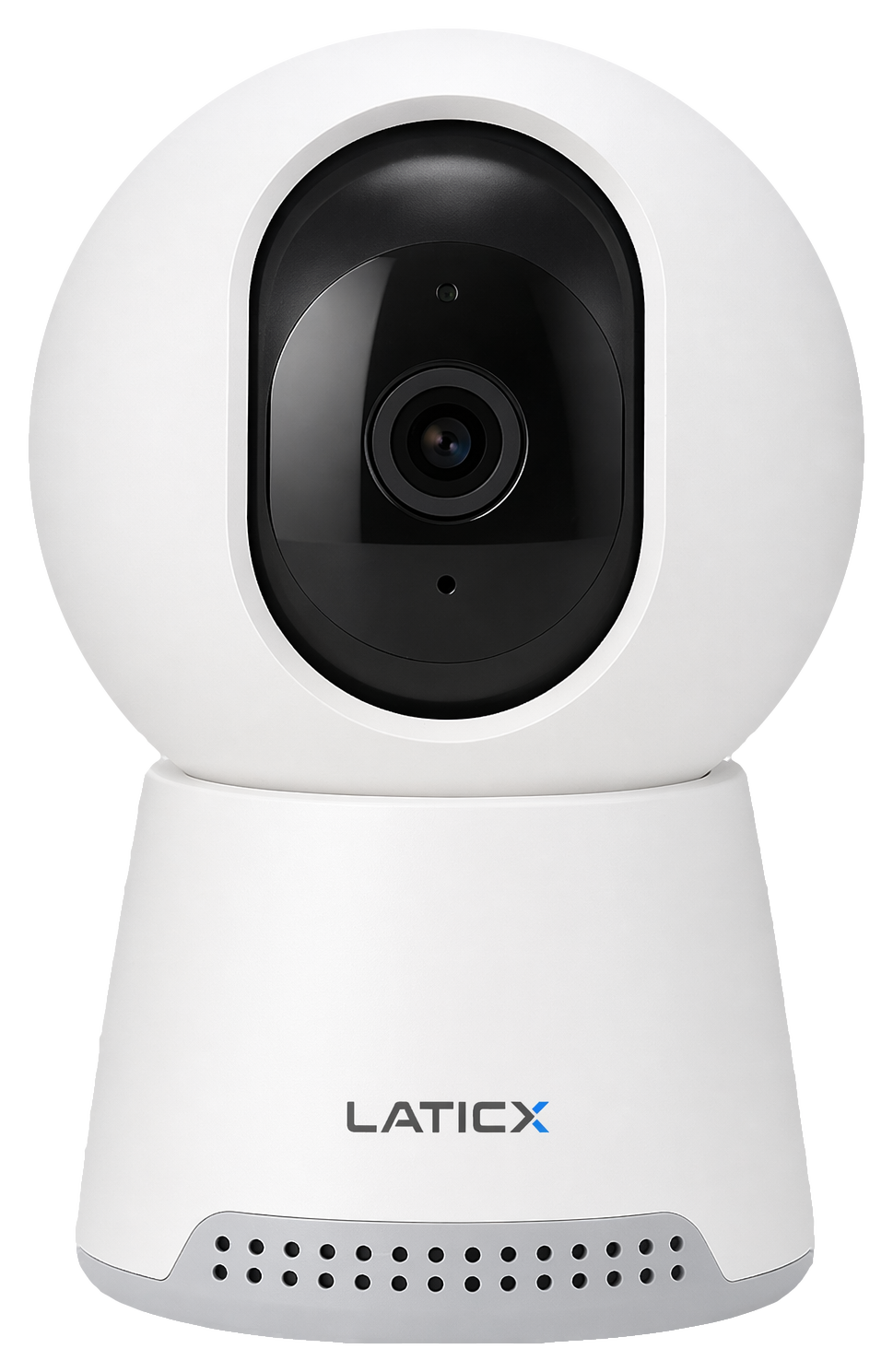
C1 indoor camera

C1 + PRO SERIES · HOME EVENTS

Ask About Home.
Find the Moment.

Describe a time or scene. Your PRO organizes C1 events and scene summaries locally, so you can find a match and replay the original recording.

“What happened at home this afternoon?”

  1. 01C1 Captures
  2. 02Your PRO Organizes & Finds
  3. 03You Review the Clip
Explore the C1 Experience
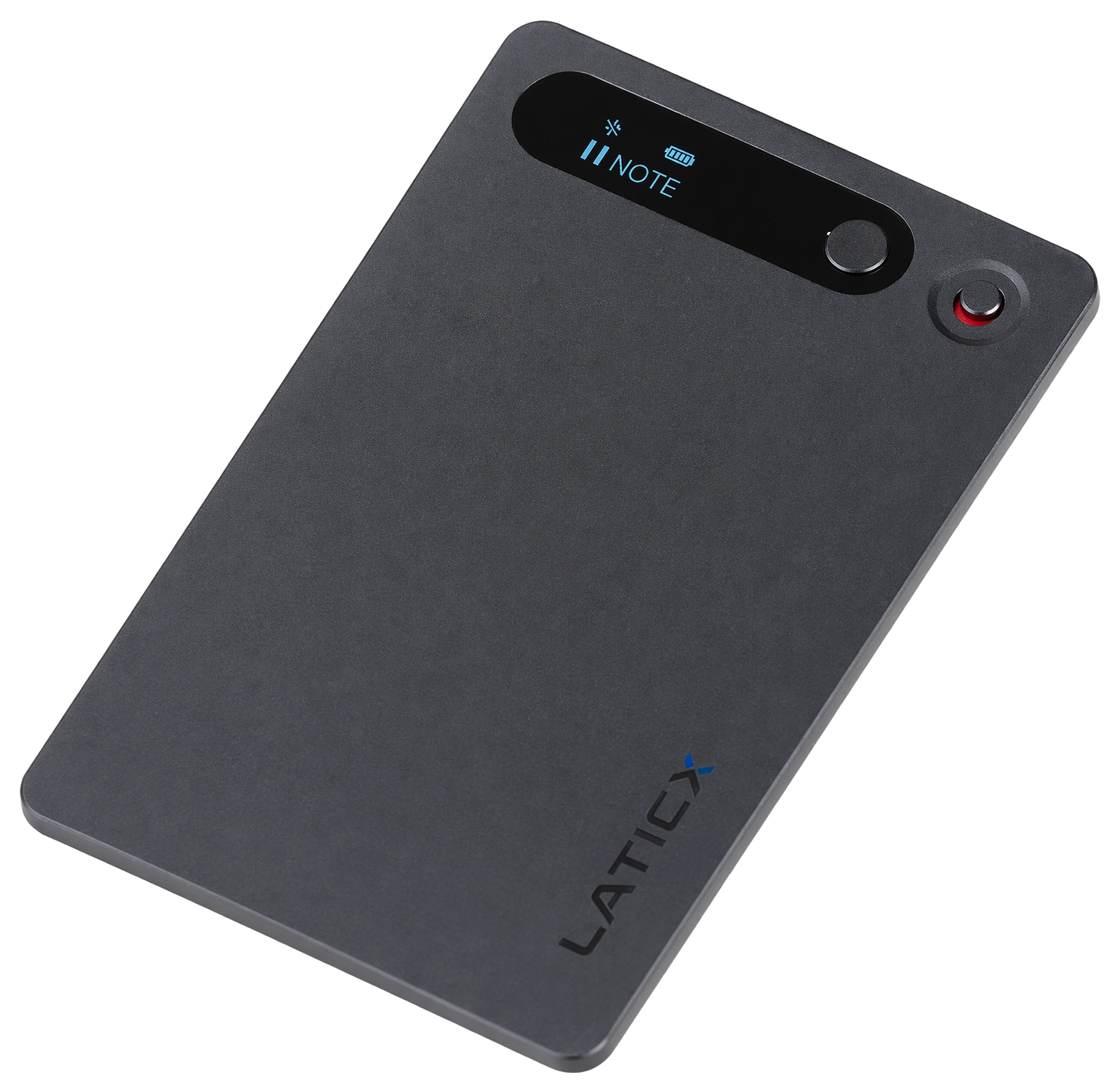
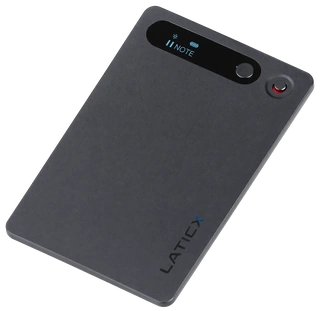
N1 Voice Note

N1 + PRO SERIES · CONVERSATIONS

Keep the Conversation.
Find the Key Points.

N1 records. The app transcribes English offline. Your PRO creates summaries and mind maps locally. Read the key points, then check the transcript and recording.

Key points and topic connections, with the original words close at hand.

  1. 01N1 Records
  2. 02The App Transcribes
  3. 03Your PRO Organizes
Explore the N1 Experience
Read the key points, then return to the recording for context.

M1 · Plan & Share

Plan with Lati AI.
See It on M1.

Workflow Preview

Tell Lati AI your family’s plans. Your PRO organizes a calendar draft; check the dates, times and details, then confirm what to send to M1.

Lati AI · Calendar

Tell Lati AI on your phone. Review your calendar.

Tell Lati AI: “Dental checkup on Saturday, November 14 at 10 AM, swimming at 3 PM, and family dinner on Sunday at 6 PM. Prepare these for M1 and let me review them first.”

Calendar · For your review

  1. Dental checkup · Sat · Nov 14 · 10:00 AM
  2. Swimming class · Sat · Nov 14 · 3:00 PM
  3. Family dinner · Sun · Nov 15 · 6:00 PM

You confirm what goes to M1.

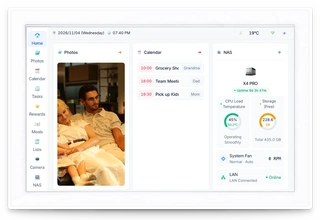
M1 · Calendar View

After confirmation, view plans on your shared home display.

All Your Companions, Together.

See camera events, recording summaries and your shared home display in LATICX OS.

C1, N1 and M1 are optional campaign add-ons, priced separately. They require X4 PRO or X4 PRO MAX, cannot be used on their own and are not compatible with X4. Your PRO NAS works independently.

AI PHOTOS

Desktop app

More Photos.
Memories in Order.

All three models share the same AI Photos features. Browse by people, scenes and places, create themed albums, and find memories and records through descriptions or photo text.

Browse photos and videos by date, and revisit the moments you want to keep.

Close-up design render of the X4 PRO MAX front grille and indicators

X4 PRO MAX

A Closer Look.

LOCAL AI. PERSONAL DATA.

Bring AI Compute
Closer to Your Data.

Four-bay storage and a dedicated AI chip in one NAS. Keep content locally and run supported model tasks on the NAS.

Four-Bay Storage
Room for a growing collection of photos, files, and recordings.
Local AI Processing
Run supported model tasks close to the content they use.
Results Linked to Sources
Go from an answer to the file and check the context.
Explore Data and Processing
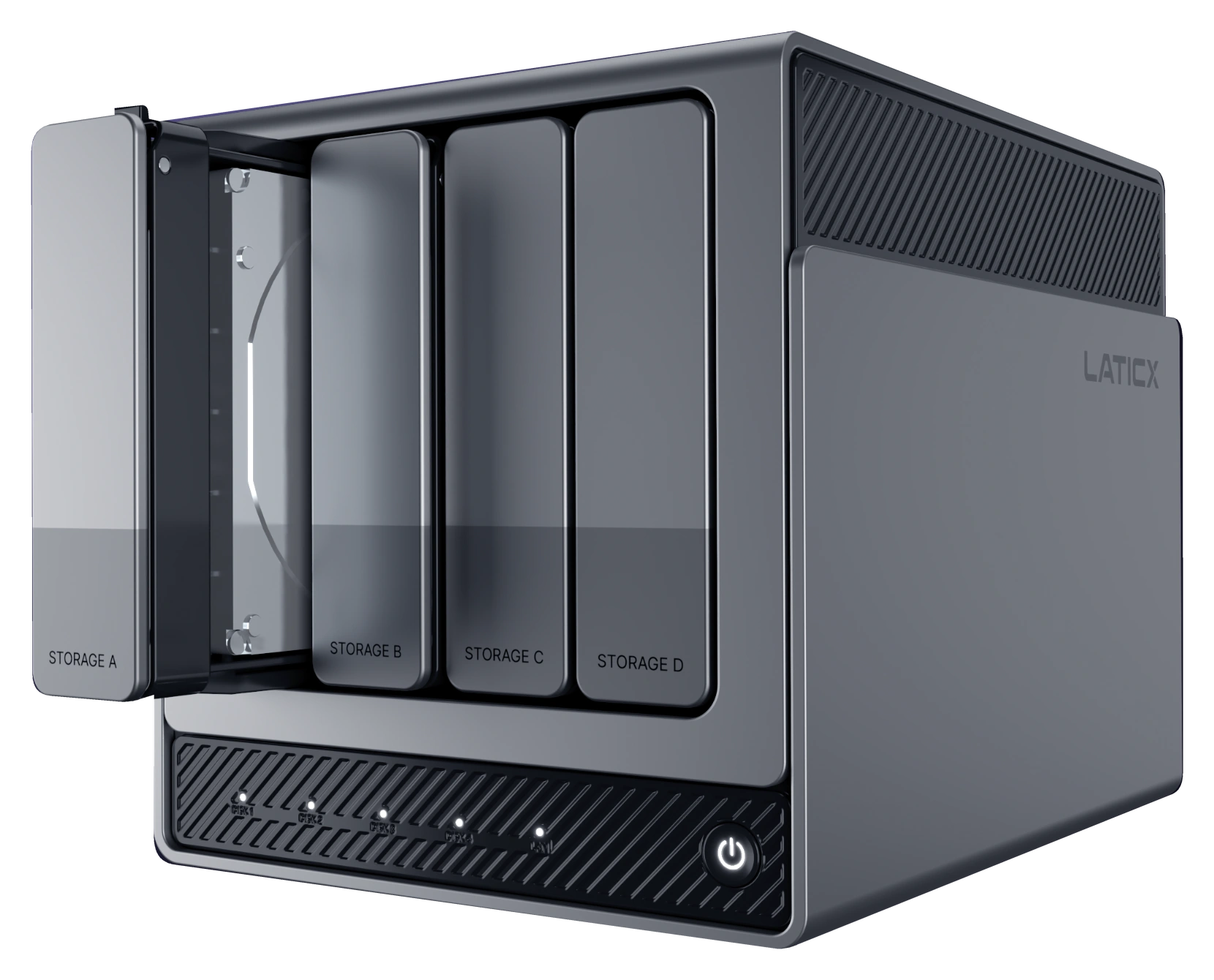
X4 PRO MAX four-bay NAS with one drive tray extended; product design render
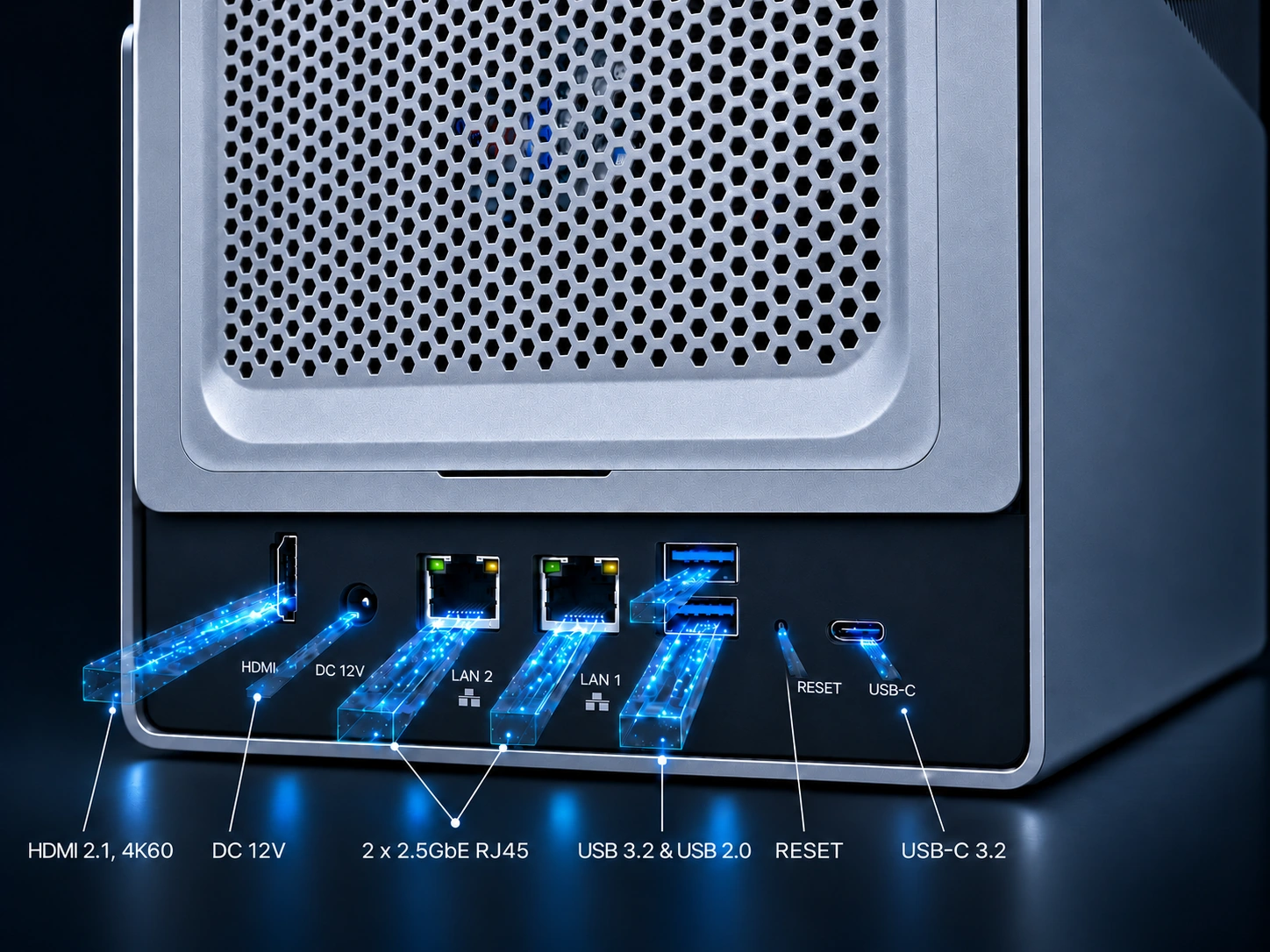
Product design illustration of X4 PRO MAX rear connections

Connect Your Content and Devices.

Network, peripheral, and display connections bring content and devices into your home setup.

Alongside AI,
The Essentials of a NAS.

Manage backups, sharing, remote access and apps alongside AI. All three NAS models share these features.

LATI AI · NAS STATUS

Your NAS Status, at a Glance.

Check storage, drive health, CPU, memory and running tasks in Lati AI, then open the relevant management page for details.

“Show me my NAS status.”

NAS status · Sample data

Access and Share.

Access files on computers and phones, manage sharing by person, and connect when you are away.

  • File access
  • People and sharing
  • Remote access

Back Up and Monitor.

Plan backups and recovery for important content, and keep track of capacity and drive health.

  • Backup and recovery
  • Drives and capacity

Enjoy and Expand.

Organize family photos and videos, and deploy additional apps with Docker containers.

  • Home media
  • Docker containers

APP CENTER

App Center preview

Make Room for More.

Extend your NAS with apps for media, photo libraries, file sync and more.

Third-party apps are shown as a preview. Support and installation options will be announced with each model’s software release.

X4 PRO MAX · SPECIFICATIONS

Hardware Specifications

RK3588 + RK1828 · Four-bay NAS

Compare the X4 Series
System Memory
16 GBLPDDR4
Rated NPU Compute
26 TOPSINT852 TOPSINT4

RK1828 includes 5 GB of 3D DRAM, separate from system memory.

Processor & Storage

CPU
RK3588
CPU Architecture
64-bit Arm
CPU Cores
4 × Cortex-A76 + 4 × Cortex-A55 (8 cores)
AI Hardware
RK3588 built-in NPU + RK1828
Rated NPU Compute (INT8)
26 TOPS @ INT8
Rated NPU Compute (INT4)
52 TOPS @ INT4
Dedicated AI-Chip Memory
5 GB 3D DRAM (built into RK1828)
System Storage
64 GB eMMC 5.1
Storage Interfaces
4 × SATA 3.0
NVMe Expansion
1 × M.2 2280

Network & Interfaces

Network Interfaces
2 × 2.5GbE RJ45
USB Interfaces
1 × USB-A 3.2 Gen 1; 1 × USB-A 2.0; 1 × USB-C 3.2 Gen 1
Display Interface
1 × HDMI 2.1, 4K60
Buttons & Indicators
1 × power button; 1 × RESET; 5 × indicator lights; 1 × buzzer

Structure & Power

Power
DC 12V / 10A
Cooling
1 × 12025 PWM fan
Dimensions
166 × 171 × 240 mm
Weight
3.2 kg
Color
Space Gray

TOPS uses the stated precision. Task speed depends on the model, software and operating conditions.

GOOD TO KNOW

X4 PRO MAX: Good to Know.

Should I choose X4 or the PRO series?

X4, X4 PRO and X4 PRO MAX offer the same AI Photos and traditional NAS features. The PRO series adds a dedicated AI chip, an AI assistant, a personal knowledge base and C1, N1 and M1 companion integration. X4 uses the RK3588 integrated 6 TOPS INT8 NPU and has 8 GB LPDDR4. PRO and PRO MAX have the same rated compute, 26 TOPS INT8 or 52 TOPS INT4, with 8 GB and 16 GB LPDDR4 system memory respectively.

How do X4 PRO and X4 PRO MAX differ?

Both share the same four-bay design and local AI platform, rated at 26 TOPS at INT8 or 52 TOPS at INT4. X4 PRO has 8 GB LPDDR4 system memory; PRO MAX has 16 GB. Both also have 5 GB of 3D DRAM inside RK1828, separate from system memory.

Do traditional NAS features differ between the three models?

All three models share the same traditional NAS features: file management, backup and recovery, people and sharing, drive and capacity management, Media Center, remote access, Docker containers and App Center.

Do I also need N1, C1, or M1?

No. X4 PRO MAX works as a standalone NAS. Add N1, C1 or M1 companion devices as needed.

How is a personal knowledge base different from file search?

File search locates an original. A personal knowledge base lets you ask about selected content and open cited sources to check the details.

Where does the AI run? Does it need internet access?

AI inference runs locally on the NAS. Connectivity requirements are explained for each feature.

Will AI features require a subscription?

Included AI features and pricing details will be announced with the launch offer.

When will pricing and delivery details be available?

X4, X4 PRO and X4 PRO MAX are planned for the same Kickstarter campaign in early 2027. Pricing, included AI features and delivery plans will be announced at launch.

X4 SERIES · KICKSTARTER

Choose Your X4.
Be There at Launch.

X4, X4 PRO and X4 PRO MAX will be in the same campaign. C1, N1 and M1 are optional add-ons that require X4 PRO or X4 PRO MAX, cannot be used on their own and are not compatible with X4.

Coming to Kickstarter in early 2027. Pricing and delivery details will be announced at launch.

LATICX UPDATES

Be First to Know.

Get LATICX product news, app demos and crowdfunding launch updates.

Products you’re interested in Optional

Choose any products. Already subscribed? Select all your interests to update them; leave blank to keep existing preferences.

NAS

Companion devices

C1, N1 and M1 require X4 PRO or X4 PRO MAX and do not work independently. They are not compatible with X4.

Questions? Contact us support@laticx.com

Unsubscribe anytime using the link in any email. Privacy

LATICX product experience

Sample LATICX interface

Sample original · Not an actual contract or a user's file

Renovation Quote · Sample


Search results link to the source document so you can revisit the file and check the details.

This fictional sample illustrates document search and source-file viewing.

Source path: Family Files / Renovation / Sample Quote.pdf
Document content: renovation items, materials and quotation details